
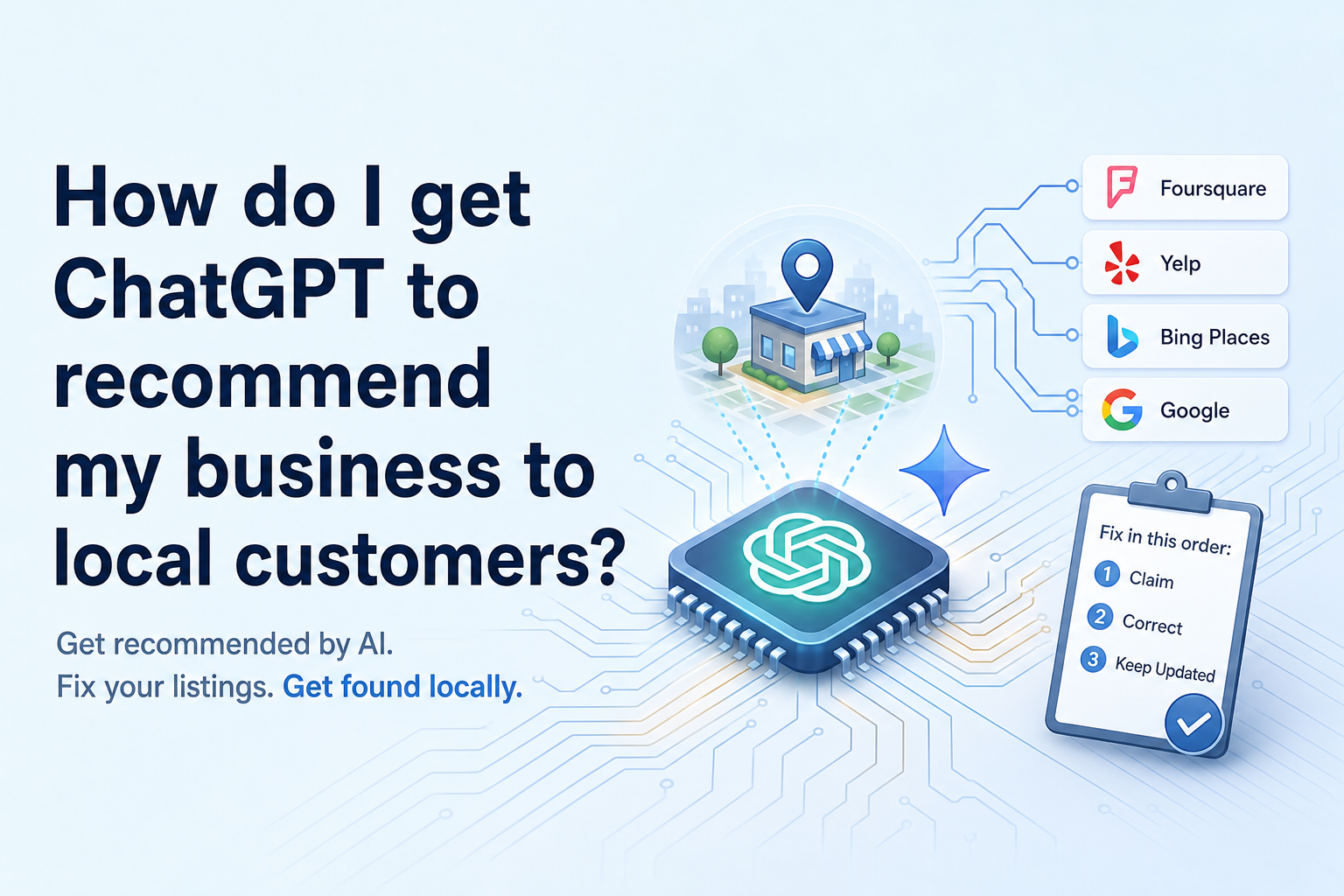
Get your business listed accurately where the assistants actually look. ChatGPT and Gemini assemble local answers from licensed place data and crawled directories — Foursquare, Yelp, Bing Places and Google — not from the copy on your homepage. Claim and correct your Foursquare venue first, finish your Yelp page second, import a Bing Places listing third, then keep new reviews arriving every month. That order is deliberate, and one location can work through it in about four weeks.
How do I get ChatGPT to recommend my business to local customers? Start with the listings, not the website
Here is the part that trips up most owners. You can rewrite every page on your site, stuff your city name into every heading, and an assistant answering “who’s the best electrician in Boise” may still never see any of it. When someone asks a local question, the model is not browsing your website and forming an opinion. It is pulling structured place records — names, categories, addresses, hours, ratings, review text — from data partners and from the search index underneath it, then writing a few sentences on top of what it found.
That means your visibility is decided in accounts you may never have logged into. Three of them carry most of the weight for a single-location service business:
- Foursquare — the place database sitting behind a large share of what ChatGPT shows for local queries.
- Yelp — now named as a direct input into ChatGPT’s local recommendations.
- Bing Places — the free listing that feeds Microsoft’s side of the answer, including Copilot.
Your Google Business Profile still matters, and it does most of the work on the Gemini side, because Gemini sits on top of Google’s own map data. But Google will not hand its profile data to a competing assistant. A perfect Google profile and nothing else leaves you invisible in exactly the places where the newer assistants look first. That is the gap this post is about.
Fix order, if you only read this far: Foursquare, Yelp, Bing Places, then reviews — and reviews never stop. Foursquare goes first because it is the widest input and the one almost nobody in a single-location trade has ever claimed. Yelp goes second because it is already in the answer and usually half-finished. Bing Places goes third because it is the fastest to do and the easiest to postpone forever.
Why Foursquare is the first listing to fix, and the one nobody has claimed
Foursquare stopped being a check-in app a long time ago and became a place-data business that licenses its records to other companies. That is why it matters to you now. One published analysis of ChatGPT’s local results estimated that 60% to 70% of the local businesses ChatGPT displays come from Foursquare data (thestacc.com, July 2026). Treat that as someone else’s measurement rather than a law of nature — but even taken loosely, it points at the same conclusion: an unclaimed, wrong or missing Foursquare venue is the single biggest hole in a one-location business’s local answer coverage.
And it is usually unclaimed. Most venue records for small service businesses were created years ago by a user, by an import, or by a data aggregator. Nobody has touched them since. The category is wrong, the hours are from a previous owner, the phone number is a disconnected landline, and there are frequently two or three records for the same address.
What to actually do
- Search for yourself first. Before you create anything, look up your business name and your address separately. Address searches surface the duplicates that name searches miss — old suite numbers, misspelled street names, a record under the previous tenant.
- Claim through Foursquare for Business. Verification runs through a call, a text or a code to the number on the record. If the number on the record is wrong, that is the first thing to get corrected before you can claim.
- Set the primary category precisely. “Insurance agency” and “financial service” are not the same bucket. The primary category is what filters you into or out of an assistant’s shortlist, so pick the narrow one that matches the job people call you for.
- Match your name, address and phone exactly. Not approximately — character for character against your Google profile. “Ste 200” in one place and “Suite #200” in another is how two records get created instead of one being strengthened.
- Fill hours and service area honestly. If you run 7am to 4pm with emergency calls after hours, say 7 to 4 and put the after-hours note in the description. An assistant quoting wrong hours costs you more than an assistant not quoting you at all.
- Flag duplicates for merge. This is the slowest part and the part worth finishing. Two half-right records split whatever signal you have.
Expect a lag. Edits land on Foursquare’s own surfaces well before they propagate to the companies licensing the data, and those partners refresh on their own schedule. Do the work, note the date you did it, and plan to check the answer weeks later — not the same evening.
Yelp is now a direct input — what that changes about your page
An analysis of how ChatGPT selects local businesses concluded that Yelp is now a direct input into ChatGPT’s local recommendations (phlashconsulting.com, August 2026). If you have spent years ignoring your Yelp page because you did not like the sales calls, that calculation has changed. The page is being read whether you maintain it or not.
There is a meaningful difference between a claimed, complete Yelp page and an abandoned one, and an assistant summarizing you can tell them apart. Here is what a complete one has:
- Correct categories. Yelp lets you set a primary plus additional categories. Choose the ones that match the work you want more of, not everything you are technically licensed to do.
- A populated services list. This is the most-skipped section and the most quotable. “Water heater replacement, drain cleaning, repiping” gives an assistant specific phrases to match against specific questions.
- A business description written to be quoted. Two or three plain sentences: what you do, where you do it, who you do it for, how long you have been doing it. No slogans. A summarizer will lift a clean sentence and paraphrase a vague one into nothing.
- Real photos with your team and your trucks. Stock photos tell a reader, and a crawler, that nobody is home.
- Responses to reviews — all of them. A short, non-defensive reply to a three-star review does more for how you get described than another five-star with no text.
If your page has few reviews or only old ones, resist the urge to fix it with a blast. Yelp’s recommendation software filters reviews it considers solicited or unusual, and a sudden cluster is the pattern it is built to catch. Yelp’s own policy asks businesses not to request reviews directly. Work with that instead of against it: put the Yelp badge on your site, add the link to your email signature and invoices, and let people who already use Yelp find their way there. Volume alone is not the goal — a steady, visible, recent page is.
Bing Places: the free listing that feeds the Microsoft side of the answer
You will look at your analytics, see almost no traffic from Bing, and conclude this is not worth an hour. Judge it differently. Bing Places is not a traffic channel for you — it is a data source for Copilot and for the Bing index that assistants reach into when licensed place data is thin or stale for your area. For a single location in a mid-size market, licensed data is often exactly that: thin. The Bing record becomes the tiebreaker.
It is also the lowest-effort of the three, because you can import your existing Google Business Profile rather than typing everything again.
The fast route, and what breaks on the way
- Import from Google. Bing Places offers to pull your profile across. Authorize it, let it run, then treat the result as a draft rather than a finished listing.
- Repair the categories. Google’s category taxonomy and Bing’s do not line up one-to-one. Imports regularly land on a broader, less useful category than the one you chose on Google.
- Re-check service area and hours. Service-area settings and holiday or exception hours are the two fields that most often come across incomplete or blank.
- Re-upload photos and rewrite the description. Images frequently fail to carry over. The description field has its own length behavior, so read what actually saved.
- Verify. Phone, email or postcard, depending on what Bing offers for your record. Postcard verification is the slow path, so start this early in your week rather than at the end of it.
Set a reminder to log back in a few months later. Imported listings drift when you update Google and forget Bing, and a listing that disagrees with your other listings is worse than one that simply exists. One address, one phone number, one spelling of your business name, everywhere. That consistency is doing more work than any single field on any single platform.
Can you pay ChatGPT to recommend your business?
No — and it is worth being blunt about this, because it is the first question most owners ask and the pitch a lot of people are getting on the phone.
OpenAI’s stated position is that ads “are clearly identified and don’t influence the answers, so paying doesn’t buy a recommendation” (reported at ryandoser.com, October 2026). Advertising and recommendation are separate systems. Spending money in one does not move you in the other.
Practically, that has two consequences. The first is that anyone selling you “placement in AI answers” or “guaranteed ChatGPT ranking” is selling you something other than what they are describing — usually a directory submission bundle, sometimes nothing. Ask them which specific data source their work changes and how they will show you a before-and-after. The question tends to end the conversation.
The second is more useful: because the shortcut does not exist, the slow path is the whole path. The only levers that are actually available are the unglamorous ones — accurate listings on the sources these systems read, consistent details across all of them, and recent reviews that give a summarizer something current to say about you. A competitor with twice your budget cannot buy past you. They can only out-maintain you, and most of them will not bother. That is the opening.
The review-recency factor: why last quarter’s reviews beat last year’s
When an assistant describes a business, it is summarizing review text as much as counting stars. A pile of five-star reviews from three years ago gives it nothing current to work with. A handful from the last two months gives it specific, dated, quotable detail — the kind of language that ends up in “customers mention fast emergency response and clear pricing.”
So the goal is not a big number. It is a line that never goes flat. For a one-location service business, a few new reviews every single month across the year beats a burst of twenty in one week followed by eleven months of silence. The burst also looks exactly like what filtering systems are designed to catch.
A cadence one person can actually keep
- Tie the ask to job completion, not to a calendar. The request goes out when the work is done and the customer is still standing there pleased — same day, not the following Tuesday.
- Send it by text. A short message with a direct link beats an email, and it beats asking face to face and hoping they remember.
- Ask every customer, expect a fraction. Most people will not write one. That is fine and expected — asking everyone is what turns a small fraction into a steady monthly trickle.
- Point your direct asks at Google. Google is the platform where soliciting reviews is permitted and where Gemini is reading.
- Make Yelp findable rather than requested. Badge on the site, link in the signature, mention on the invoice. Yelp asks businesses not to solicit, so let the Yelp users self-select.
- Reply to everything within a few days. Replies are text too, and they are text you control.
Set one rule and automate it rather than relying on remembering. The review engine on our side exists for exactly this reason: the ask fires off the completed job, the follow-up fires if nothing happens, and the owner never has to think about it between calls. However you do it, the thing that matters is that the newest review on your page is always a few weeks old rather than a few years old.
A four-week order of operations for one location
Four weeks, one evening-sized task each. Do them in order — later weeks depend on the name, address and phone string you settle in week one.
Week one — Foursquare
Write down your canonical name, address and phone exactly as it will appear everywhere. Search Foursquare by name and by address, claim the right venue, flag the duplicates, then fix category, hours, service area and description. Most likely problem: the phone number on the existing record is wrong, so verification fails. Request the correction, wait, come back. Do not create a second venue out of impatience.
Week two — Yelp
Claim the page if it is not yours. Set categories, fill the services list, upload current photos, write the three-sentence description, then reply to every review on the page including the old ones. Most likely problem: the page is claimed under a former employee’s email. Yelp’s recovery process is workable but adds days, so start it Monday rather than Friday.
Week three — Bing Places
Import from Google Business Profile, then repair categories, service area, photos, hours exceptions and description. Start verification immediately. Most likely problem: postcard verification, which you cannot speed up. Kick it off and move on.
Week four — the review routine
Build the thing that keeps running after the project ends. One text template, one link, one trigger tied to job completion. Send it to the last two weeks of completed jobs to prime the pump, then let it run continuously. Most likely problem: it survives nine days and dies. If it depends on you remembering, it will not last; attach it to something that already happens every time you finish a job.
Then stop editing. Give the data time to move before you judge any of it.
How do you check whether any of it actually worked?
Write your prompts before you touch anything, and never change them afterwards. Five to eight questions phrased the way a customer would type them, not the way a marketer would: “best emergency plumber near [your town],” “who do people recommend for chiropractic in [your town],” “independent insurance agent [your town] open Saturday.” Run them in ChatGPT and Gemini, paste every answer into one document with the date, and save it.
Do the four weeks of work. Then wait — data propagation is measured in weeks, not days — and re-run the identical prompts into the same document.
Three things count as movement, in ascending order: your business gets named at all; it gets named with correct hours, phone and services; it gets named with a citation pointing at one of the listings you fixed. That last one tells you which source is doing the work for you.
If a competitor still gets named and you do not, look at what their listings have that yours do not — usually recent reviews or a tighter category. Re-run the check monthly, same prompts, same document. A saved history of verbatim answers is the only honest before-and-after there is.